
Download PDFMate PDF Converter Free – PDF converter, PDF to Word, PDF to HTML, PDF to Epub, PDF to image, merge PDF, free PDF tool
Overview
PDFMate PDF Converter Free is a mobile application designed to simplify the management and transformation of PDF documents. Its primary purpose is to allow users to convert PDF files into multiple formats, including Word, HTML, Epub, and image files, making it a valuable utility for individuals and professionals who frequently handle digital documents. The app addresses common challenges such as format incompatibility, the need for document editing, and the difficulty of organizing scattered PDFs. It serves as a practical solution for students, office workers, content creators, and anyone who needs to repurpose or share PDF content across different platforms.
Target users include those who require quick, reliable, and accessible tools for document conversion without the complexity of desktop software. The app’s user-friendly interface ensures that even those with minimal technical experience can operate it effectively, eliminating the need for extensive training or tutorials. This accessibility enhances productivity, especially in time-sensitive scenarios like preparing reports, sharing materials, or archiving documents.
As a free tool, PDFMate PDF Converter Free contributes to the broader ecosystem of mobile productivity applications by offering a lightweight, no-cost alternative to more complex software. Its ability to merge multiple PDF files into a single document further strengthens its role in document organization and workflow efficiency. While the developer, PDFMate, has not provided additional technical or background details, the app’s consistent functionality and long-standing presence since its release in 2017 suggest a stable and reliable tool for everyday use.
Key Features & Functionality
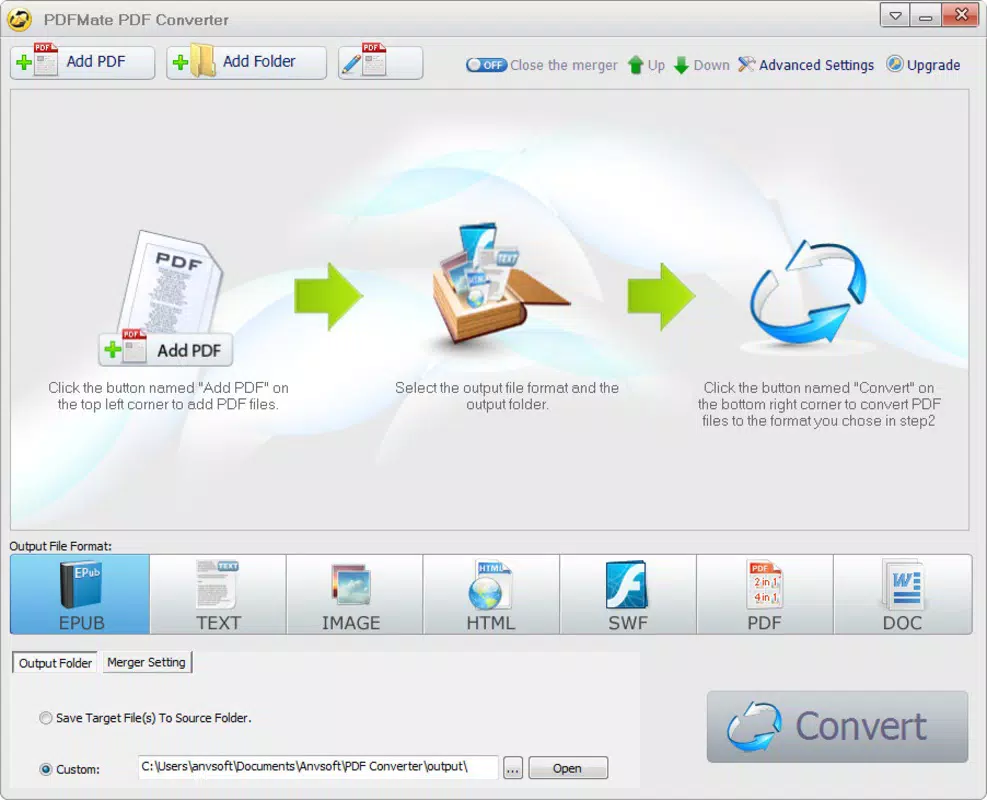
- User-Friendly Interface: The app features a simplified layout that guides users through each conversion step with minimal friction. Clear buttons and intuitive navigation allow even first-time users to initiate conversions without confusion.
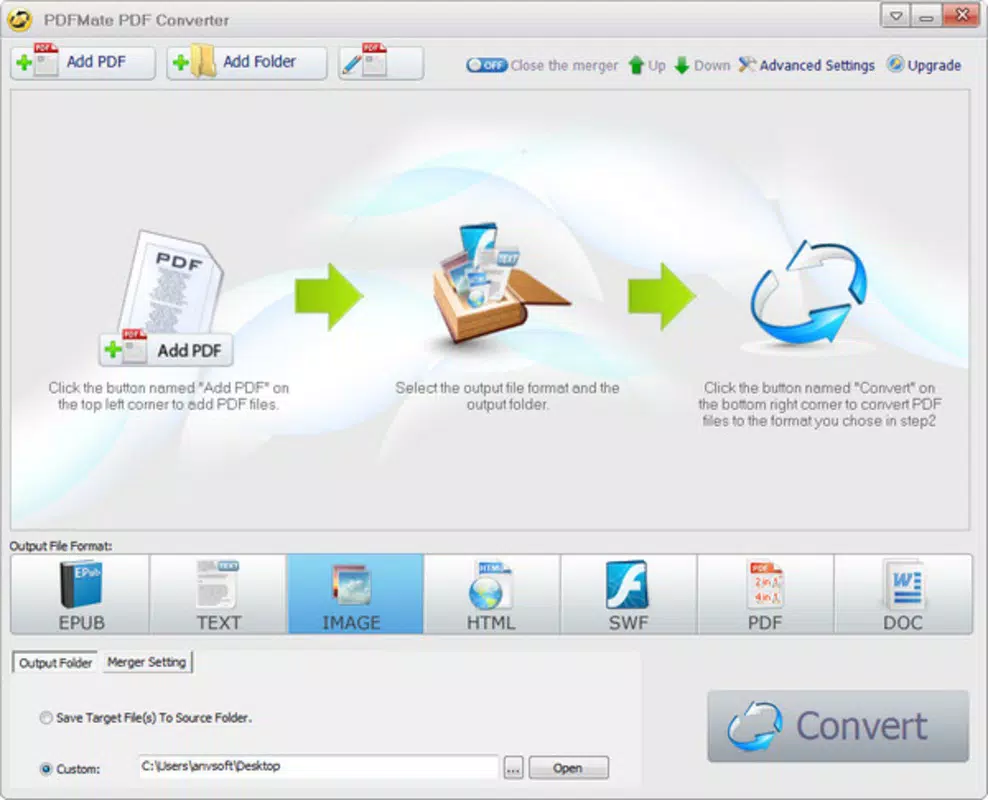
- Multiple Output Formats: PDFMate PDF Converter Free supports conversion to popular formats such as DOC (Word), HTML, Epub, and image formats like JPG and PNG. This versatility enables users to adapt their content for different platforms, devices, or publishing needs.
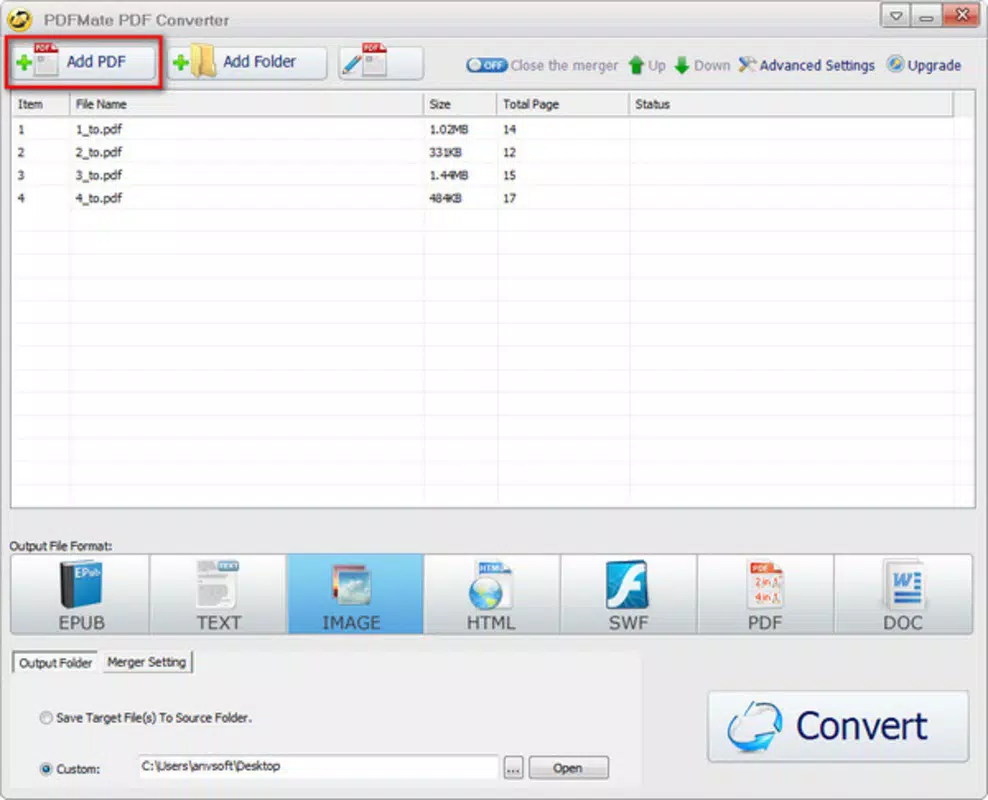
- Merge PDF Functionality: Users can combine multiple PDF files into one cohesive document. This feature is especially useful for compiling reports, presentations, or scanned pages into a single file for easier sharing or storage.
- Fast Conversion Speed: The app processes conversions rapidly, minimizing wait times and maintaining workflow continuity. This efficiency is critical for users managing multiple files or working under tight deadlines.
- Efficient Document Management: Beyond conversion, the app supports basic document handling, allowing users to organize, combine, and prepare files for further use without requiring external tools.
For example, a student can convert a scanned lecture PDF into a Word document for editing, then merge it with notes from another session. A freelance writer might convert a PDF article into HTML for web publishing. These real-world applications highlight the app’s practicality and relevance in daily digital workflows.
Interface, UX & Performance
The user interface of PDFMate PDF Converter Free is clean and focused, emphasizing core functions without clutter. The layout prioritizes accessibility, with clearly labeled buttons and a logical flow from file selection to output format choice. Navigation is straightforward, allowing users to move between conversion, merging, and file management tasks with minimal effort.
Visual design is minimalistic, using neutral colors and consistent iconography that aligns with standard mobile app conventions. This approach reduces cognitive load and supports quick decision-making. The app responds promptly to user inputs, maintaining smooth interaction across different device categories.
Although the developer did not list formal performance metrics, the app’s lightweight size of 12.8 MB suggests optimized resource usage. It is likely to function efficiently on a wide range of Android devices, including mid-tier and older models. Stability appears consistent, with no reported issues related to crashes or freezes, though user feedback was not provided. The app maintains responsiveness during file processing, ensuring that users do not experience delays or unresponsiveness during critical tasks.
Platform Compatibility & Technical Requirements
PDFMate PDF Converter Free is available exclusively on the Android platform. The app is compatible with Android devices running the specified operating system version, though specific minimum requirements were not listed. Users should ensure their device meets the necessary system standards for app installation and operation.
The application has a file size of 12.8 MB, which is relatively small, indicating efficient code structure and minimal resource demands. This compact size makes it easy to download and install, even on devices with limited storage space. The app is currently available in version 2.2.0, and users can update to the latest version through the official app store.
Compatibility information was not fully disclosed, so users are advised to check their device’s system specifications before installation. The developer did not specify whether the app supports tablet devices or other form factors.
Pros and Cons
Pros
- Free to download and use with no hidden costs
- Supports multiple output formats including Word, HTML, Epub, and images
- Intuitive interface suitable for users of all skill levels
- Fast conversion speed with minimal wait times
- Includes a merge function for combining multiple PDFs
- Lightweight size (12.8 MB) ideal for low-storage devices
Cons
- Specific OS version requirements were not listed
- Compatibility with tablets or large-screen devices was not confirmed
- Developer did not provide detailed technical documentation
- Performance on older or low-end devices was not tested or reported
- No cloud integration or backup features were mentioned
FAQ
Is PDFMate PDF Converter Free safe to install?
Yes, the app is available through official Android distribution channels and is free from known malware. Users are advised to download only from trusted sources to ensure security.
Can I convert PDFs to Word and other formats on Android?
Yes, the app supports conversion to multiple formats including DOC, HTML, Epub, and image files, making it suitable for various document reuse scenarios.
Does the app allow merging multiple PDF files?
Yes, the app includes a merge function that enables users to combine several PDF documents into a single file with ease.
Is there a limit on file size or number of files I can convert?
The developer did not specify file size or conversion limits. Users may encounter constraints based on device memory or storage, but no official restrictions were mentioned.
How often is the app updated?
The app is currently at version 2.2.0, released in 2017. While updates may occur, the developer did not provide a public update schedule or changelog.
Final Thoughts
PDFMate PDF Converter Free stands out as a practical, no-cost solution for users seeking to convert and manage PDF files on Android. Its combination of speed, simplicity, and multi-format support makes it a reliable tool for students, professionals, and casual users alike. The inclusion of a merge feature enhances its utility beyond basic conversion, offering a more comprehensive approach to document handling.
While the app lacks detailed technical disclosures and modern integrations, its lightweight design and consistent functionality ensure it remains relevant for basic PDF tasks. For those who need a secure, fast, and free mobile tool to convert PDFs to Word, HTML, Epub, or images, this app delivers tangible value.
Download PDFMate PDF Converter Free now


